What’s in this article
- Is Pinterest good for business?
- How Pinterest is different from social media
- Why Pinterest pays off for a business
- What to expect in the first months
- How to use Pinterest for business, step by step
- Common Pinterest mistakes (I've made most of them)
- Who Pinterest isn't for
- Pinterest for business: frequently asked questions
- Where to start
A while ago I stopped posting on our agency’s Pinterest account. I hadn’t planned a break. I was doing everything by hand, it took more energy than I had, and at some point I simply stopped opening the app.
About a year later I logged back in and saw that the account was still getting around 300,000 views a month, even though I hadn’t added a single pin the whole time.
That changed how I think about Pinterest for business. I’d been treating it like Instagram, where you have to keep feeding the feed or you disappear. It turned out to work much more like a search engine. This guide covers how that works, how to set Pinterest up for your business step by step, and what you can realistically expect in the first few months.
Is Pinterest good for business?
For many businesses, yes. It works best if you have a website and sell something people plan or research before buying: products, services, courses, design, anything visual or anything people look up ideas for.
The audience is large and still growing. In mid-2026 Pinterest reported 640 million monthly active users worldwide, including 106 million in the US and Canada (Pinterest Q2 2026 results). What matters more than the size, though, is the reason people come. People usually open Pinterest looking for something specific, often while they’re planning a purchase or a project.
How Pinterest is different from social media
On Instagram or TikTok, a post lives in the feed for a day or two. The algorithm decides who sees it, and after that it’s mostly gone. To stay visible you have to keep posting, and the rules change all the time.
Pinterest works more like Google with pictures. Someone types “living room color ideas” or “how to plan a content calendar” into the search bar, scrolls through the results, saves the pins that look useful and clicks through to the ones that answer the question best.
Because of that, a pin can keep appearing in search for months after you publish it. Each time someone searches for that topic, your pin has another chance to be found. That’s why my account kept getting views long after I stopped posting.
It also changes how you plan content. Instead of trying to keep followers entertained, you’re answering questions people already type into the search bar.
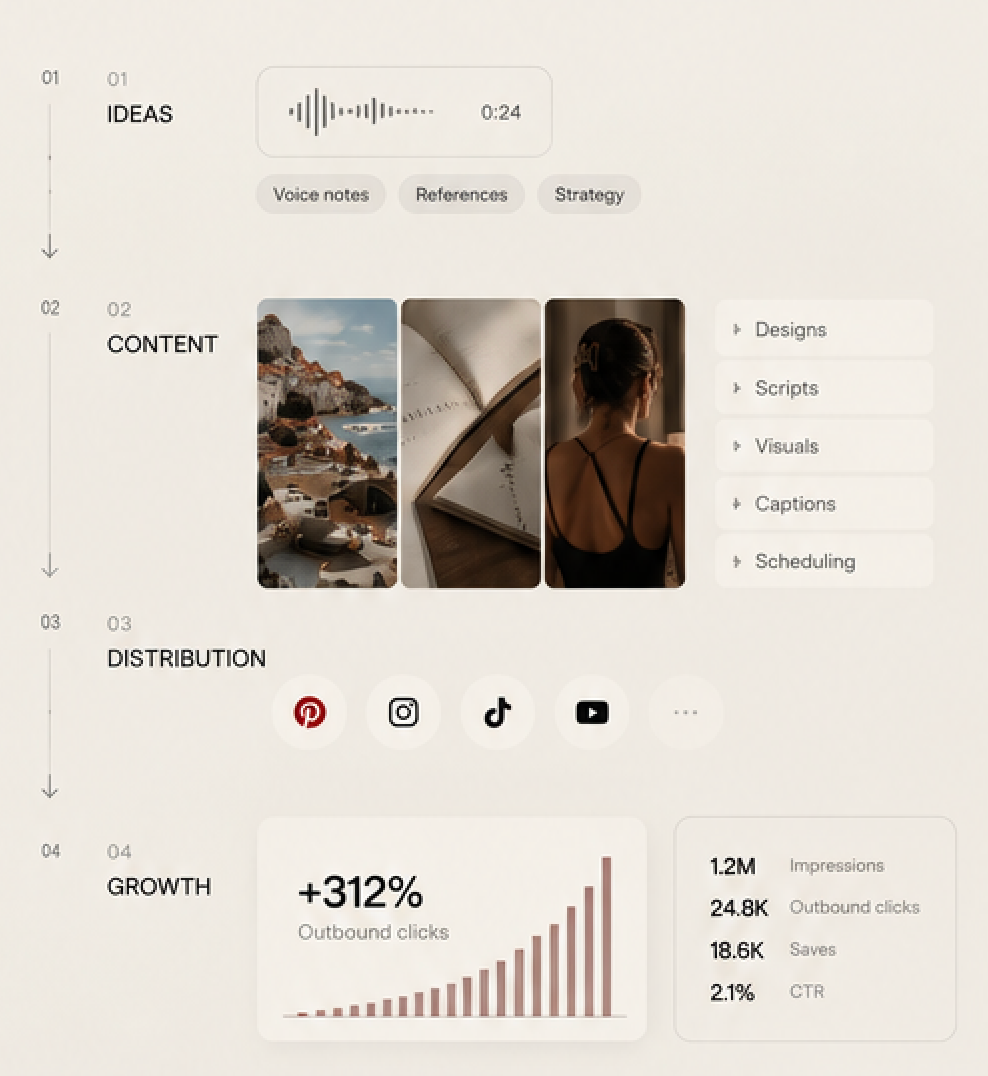
Why Pinterest pays off for a business
Your content keeps working after you publish it
My agency account is the obvious example, but it isn’t the only one. Some time ago I set up a Pinterest account for a psychology blog, and it still sends visitors to that site today. For a small business this is the biggest difference from other platforms: the work you put in keeps bringing results instead of disappearing after a day.
You can use content you already have
Most businesses are sitting on more content than they think. If you have blog posts, product photos, a guide you wrote last year or a case study in a folder somewhere, each of those can become several pins that lead back to your website. You don’t need to invent something new every day to get started.
You don’t have to be online all the time
This was the main reason I came to Pinterest in the first place. I wanted organic traffic without spending my days posting stories and trying to keep up with an algorithm. On Pinterest you prepare pins in batches, schedule them, and let search do the rest.
The traffic goes to your website
A good pin sends people straight to a page on your site, where they can read more, buy or get in touch. On most social platforms you’re working hard to get people to your profile, and only a small part of them ever reach your site.
What to expect in the first months
Honestly, everything on Pinterest is slow at the beginning. On a new account I’m working on right now, the first pins got between zero and five views each during their first weeks. That’s normal, because Pinterest needs time to understand what your pins are about and who should see them.
This is the point where most people give up. They post for a month, look at the small numbers and decide Pinterest doesn’t work for their kind of business. In my experience the accounts that get steady traffic later are simply the ones that kept going through those quiet first months.
A realistic plan is to post consistently for at least three to six months before you judge the results. During that time, watch saves and outbound clicks more than views. They show that people find your pins useful and actually go to your site.
How to use Pinterest for business, step by step
1. Create a free business account
You can switch an existing personal account to a business one in the settings or open a new one. A business account is free and gives you analytics, which you’ll need to see what’s working.
2. Claim your website
In the account settings, find the section for claimed accounts and add your website. Pinterest gives you a short code to place on your site. If you use WordPress, most SEO plugins have a field where you can paste it. Once the site is claimed, you can see stats for every pin that links to it, including pins other people save from your pages.
3. Write your profile for search
Your display name and bio are searchable, so use them to say what you do in plain words. Instead of just your brand name, add what people would search for, for example “Brand Name | Handmade Ceramics” or “Brand Name | Business Coach for Creatives”. Put your website link in the profile too.
4. Set up boards around search topics
Start with 8 to 12 boards. Name each one the way your customers would search, such as “Small Kitchen Storage Ideas” rather than “My Favorites”, and add a short description that uses the same words. Boards help Pinterest understand what your account is about.
5. Find the keywords people actually use
The easiest place to start is the Pinterest search bar. Type a topic related to your business and look at the suggestions that appear, then at the extra word bubbles under the search results. Those are real searches. For seasonal topics and bigger trends, check Pinterest Trends. Write your keywords down, because you’ll use them in pin titles, descriptions and board names.
6. Create pins that answer a search
A pin that brings traffic usually has:
- a vertical image in a 2:3 ratio, for example 1000 × 1500 pixels;
- a short text overlay that says what the person will get, readable on a phone;
- a title with your main keyword (up to 100 characters);
- a description of two or three natural sentences with related keywords (up to 500 characters);
- a link to the specific page that continues the answer, not just your homepage.
7. Make several pins for every page
One blog post or product page can have five to ten different pins with different images and headlines. Publish them over several weeks rather than all on one day. This gives each page more chances to show up in different searches.
8. Post regularly and plan ahead
Consistency matters more than volume. A steady schedule over months works better than a burst of fifty pins followed by silence. You can schedule pins directly in Pinterest or with a scheduling tool. For seasonal topics, start publishing about one and a half to two months early, because people begin searching well before the holiday or season itself.
9. Measure what matters
In Pinterest Analytics, look at impressions to see if you’re showing up, saves to see if people find your pins useful, and outbound clicks to see how many actually visit your site. Add UTM tags to your pin links so you can also see Pinterest visitors in Google Analytics.
Common Pinterest mistakes (I’ve made most of them)
Pins without links or descriptions
This was my biggest one. Most of the pins on my old account had no description and no link. They collected views, but there was nowhere for people to go next, so all that attention never turned into visits or clients.
Saving other people’s pins instead of creating your own
Saving beautiful pins from other accounts makes your boards look full, and it can even bring views. The problem is that when someone clicks, they land on somebody else’s website. Your own pins, linking to your own pages, are what bring traffic to your business.
Giving up after a few weeks
I covered this above, but it’s worth repeating because it’s the most common reason Pinterest “doesn’t work”. The first months are quiet for almost everyone.
Board names nobody searches for
Names like “Inspiration” or “Our Work” tell Pinterest nothing. A board called “Minimalist Logo Ideas” or “Neutral Bedroom Decor” has a much better chance of being shown to the right people.
Sending every pin to the homepage
If someone clicks a pin about kitchen storage and lands on a general homepage, they usually leave. Link each pin to the page that matches it.
Who Pinterest isn’t for
If you run a small local business that only sells in person, like a neighborhood café or a repair shop, Pinterest probably isn’t the best place to spend your time. People there are searching for ideas and things they can explore online, and very few of them are looking for a place around the corner. Google Maps and local reviews will usually do more for you.
It’s also a poor fit if you need sales this week. Pinterest builds traffic gradually, so it works best as a long-term channel alongside the things that bring results faster.
Pinterest for business: frequently asked questions
Is a Pinterest business account free?
Yes. Creating a business account and publishing pins costs nothing. You only pay if you decide to run Pinterest ads, which are optional.
How long does it take to see results on Pinterest?
Usually a few months. The first weeks are often very quiet, and steady traffic tends to build after three to six months of regular posting.
How often should a business post on Pinterest?
Often enough that you can keep it up for months. A few fresh pins every day is a good target if you have the content. If you don’t, a smaller number posted consistently works better than bursts with long breaks.
Do I need a website to use Pinterest for business?
You can use Pinterest without one, but you’ll get much less out of it. The main value for a business is traffic to your own pages, such as articles, products or service pages. Without a website, there’s nowhere useful to send people.
Is Pinterest better than Instagram for business?
They do different jobs. Instagram is good for building a relationship with people who already follow you. Pinterest is better at bringing new people who are searching for a topic and sending them to your website, and it needs much less daily attention. Many businesses use both.
Where to start
If you have a website and some content already, you have everything you need to begin. Set up the account, claim your site, create a few boards around what your customers search for, and start turning your existing pages into pins. Then give it a few months before you decide whether it works.
If you’d rather have the whole system built and run for you, from keywords and boards to pin design and publishing, that’s what we do at GoBrand. Start a Project and tell us about your business.
1 comment
gobrand-local
Hi